Chrome extension
Gmail attachments, handled from a side panel
Dioveo for Gmail lives next to your inbox. Describe the emails you need in plain language, see every matching attachment, and download them in bulk without leaving Gmail.
Search needs no account. Downloads and workflows use your Dioveo account and plan limits.
The extension is a companion to Dioveo’s Gmail attachment intelligence. To extract document fields or work with files through an AI assistant, explore AI assistant access .
What it does
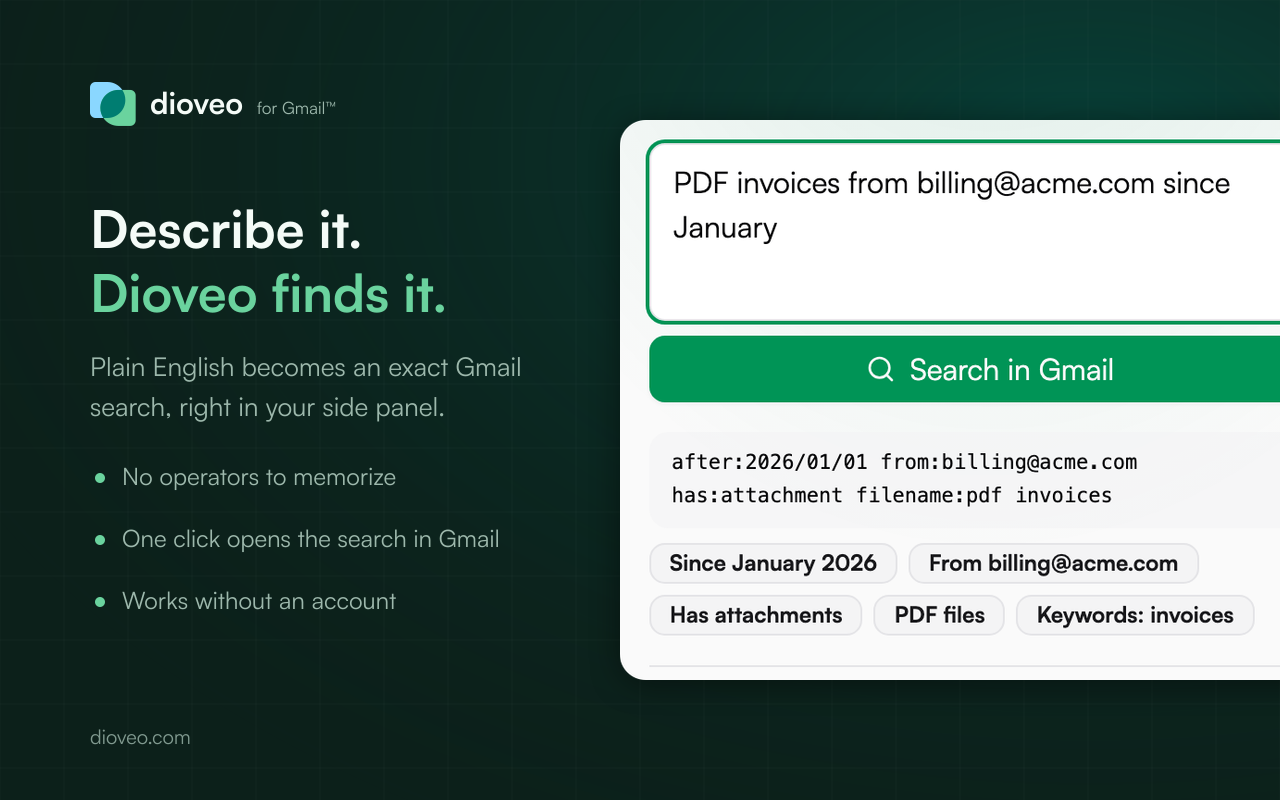
Search Gmail in plain language
Type "PDF invoices from [email protected] last month" and the extension writes the Gmail search for you, operators and all. No account needed for this part.
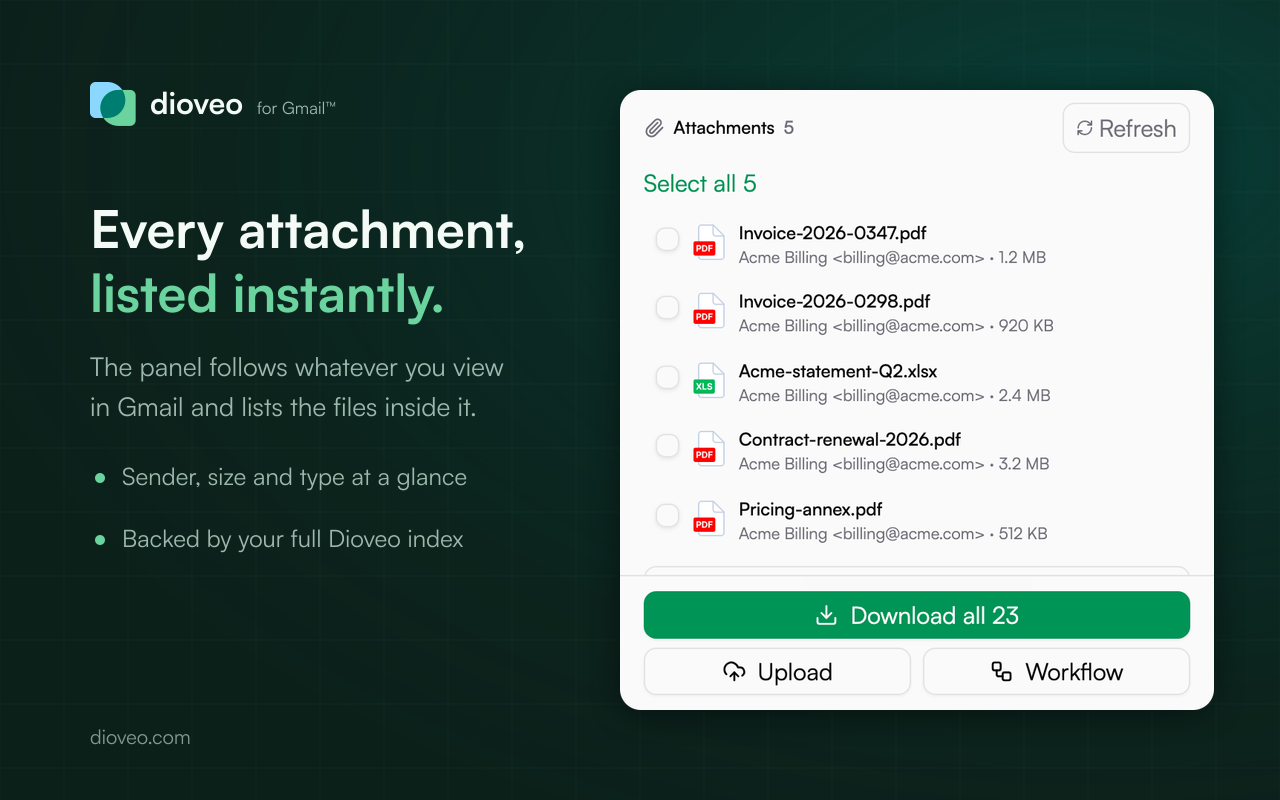
Bulk download without leaving Gmail
See every attachment Dioveo has indexed for the current search or the conversations you tick, pick files or take them all, and Chrome saves one prepared archive.
Turn a search into an automation
One click sends the current view to Dioveo as a cloud upload or an ongoing workflow, so matching attachments keep landing in Drive, Dropbox, or OneDrive.
Built to know as little as possible
No message bodies read, no Gmail or cloud tokens held, one single host permission. Searching is processed on your device.
Up and running in a minute
- 1Install the extension from the Chrome Web Store and open Gmail.
- 2Click the Dioveo icon to open the side panel, describe what you need, and run the search.
- 3Sign in to Dioveo (free) to list the matching attachments and download them in bulk.
Frequently asked questions
Is the Dioveo Chrome extension free?
Yes, the extension is free to install and use. Searching works without any account. Downloads and workflows run through your Dioveo account, so they follow your Dioveo plan and its limits.
Does it work without a Dioveo account?
Search does. Describe the emails you need in plain language and the extension writes the Gmail search for you, no sign-up needed. Listing and downloading the matching attachments requires a connected Dioveo account, because that is where your attachment index lives.
Can the extension read my emails?
No. It does not read message bodies or attachment contents from the page, and it never sees your Gmail password or OAuth tokens. It reads only the current Gmail view, the conversations you tick, and the signed-in address shown in the tab title, so it can scope your request and warn you if Chrome is signed into a different mailbox than Dioveo.
What permissions does it ask for?
The minimum for the job: the side panel, downloads (to save the archive Dioveo prepares), on-device storage for temporary state, and API access to server.dioveo.com only. There are no broad host permissions and no remote code.
Put Dioveo next to your inbox
Free to install. Pair it with a free Dioveo account to search years of attachments and download them in bulk.